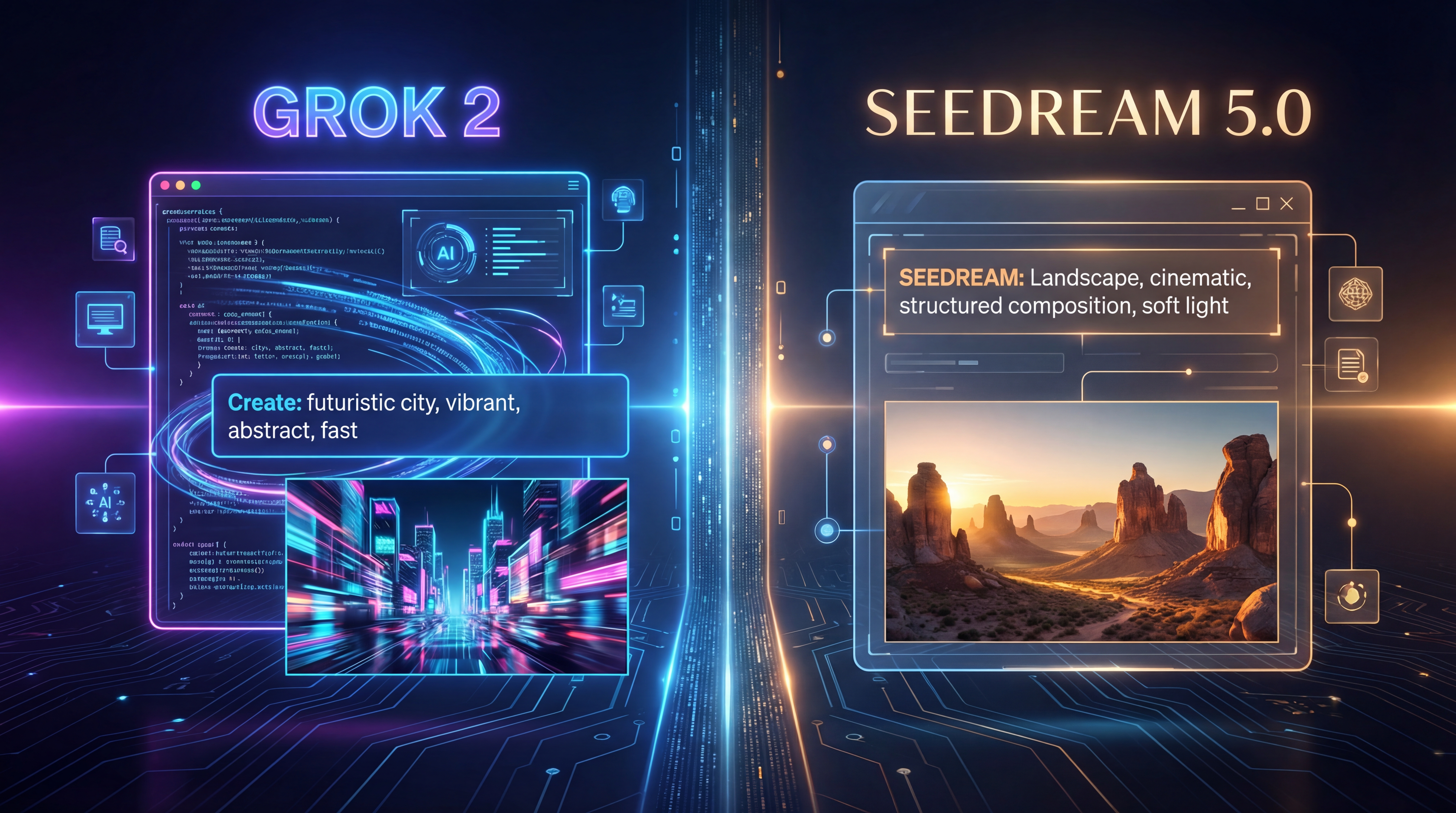
AI画像ツールの進化スピードはあまりに速く、多くの人はもはや「どのモデルが技術的に最先端か」を聞かなくなっています。いま人々が知りたいのは、もっと実用的な問い――「どれが実際に使っていて気持ちいいか」です。そこから、Grok 2 画像生成と Seedream 5.0 の比較が面白くなってきます。
両者の名前は、それぞれ別の理由で注目を集めています。Grok は、スピード、大胆なビジュアルのエネルギー、そしてより遊び心のあるクリエイティブ体験と結び付けられることが多いモデルです。一方で Seedream 5.0 は、より構造化されたプロンプト処理や、優れた推論能力、そしてより意図的で緻密に感じられるワークフローを求めるユーザーに訴求します。クリエイター、マーケター、デザイナー、そして好奇心旺盛なホビーユーザーにとって、本当に重要なのは hype(話題性)ではありません。「どちらのツールが、より早く“使える画像”に到達させてくれるか」です。
多くの人にとって、最も簡単な入口は、まず無料でブラウザから試せるオプションを使うことです。実用的な入り口としては、Grok 4 AI Image Generator があります。これは、余計な手間をかけずに Grok スタイルの画像生成ワークフローを体験しやすくしてくれます。そこから、自分が Grok のようなアプローチを好むのか、それとも Seedream 5.0 によく見られる「推論重視」の感覚のほうが合っているのかが、ぐっと分かりやすくなります。
人が「Grok 2 画像生成」と言うとき、たいてい何を意味しているか
人々が「Grok 2 画像生成」と言うとき、多くの場合、特定バージョンの技術的リリースだけを指しているわけではありません。むしろ、Grok 全体の画像生成体験を指していることが多いのです。日常会話のなかでこのフレーズは、たいてい「素早く、ダイレクトで、ネット文化に馴染んだ」生成スタイルを意味します。
これは重要な点です。すべてのクリエイターが、完璧なプロンプトを練り上げることに余分な時間をかけたいわけではないからです。「思いついたアイデアを打ち込んで、生成ボタンを押したら、すぐに目を引く何かが見たい」という人も多くいます。Grok スタイルの画像ワークフローは、そうしたユーザーに刺さりやすい傾向があります。ミーム的なコンセプト、大胆なポスター、SNS 用グラフィック、スタイライズされたポートレート、ファーストドラフトのコンセプトアートといった文脈で語られることがよくあります。
魅力はシンプルです。自分の望みをざっと説明すると、ツールがエネルギッシュでそのまま共有できるようなものを返してくれる。それだけで、スピード感を重視するクリエイターにとっては非常に魅力的になります。
Seedream 5.0 が「違う」と感じられる理由
Seedream 5.0 は、別の角度からこの比較に入ってきます。主に遊び心や連射的なスピード感が特徴というよりは、「プロンプトの解釈の仕方がより思慮深い」と感じられることで注目されることが多いのです。階層的な指示、構造化されたシーン構築、より強いプロンプト論理にこだわるユーザーにとっては、この方向性が魅力的に映るかもしれません。
そのため Seedream 5.0 は、よりコントロールされたビジュアルを作りたい人には特に興味深い選択肢になります。たとえば、商品のレイアウト、多人数のキャラクターが登場するシーン、複数の制約がある構図などを説明しようとする場合、推論力の高いモデルのほうが適していることがあります。必ずしも常に自発的・即興的に感じられるわけではありませんが、リクエストが細かくなるほど「頼りになる」と感じられることが増えるかもしれません。
この違いは重要です。驚きとスピードを求めるユーザーもいれば、規律と精度を求めるユーザーもいます。「どちらが優れたモデルか」は、ネット上の議論よりも、「自分がどんなタイプのクリエイターか」によって決まります。
手っ取り早い答え:どんな人がどちらを選ぶべきか?
優先事項がスピード、ビジュアルのインパクト、そして肩の力を抜いたクリエイティブ体験であるなら、Grok スタイルの画像生成のほうが自然に感じられるはずです。実験、ドラフト作成、アイデア出しを高速で回す用途に向いています。初回から完璧さを求めるより、「勢い」を重視するクリエイターには特に魅力的です。
一方で、プロンプトの制御、構造化された解釈、論理的な出力を重視するのであれば、Seedream 5.0 のほうが適しているかもしれません。自分の作りたいものがかなり明確に決まっていて、その意図に忠実に従ってほしい人には、こちらのほうが理にかなっています。
多くのライトユーザーにとって賢明なのは、何となく片方を選ぶことではありません。まずは free Grok image generator で Grok 側を試してみて、その素早くダイレクトなワークフローが、自分のニーズの大半をすでに満たしているかどうかを見極めることです。
プロンプト理解:シンプルなアイデア vs 複雑な指示
このあたりから、両者の違いが最も体感しやすくなります。
シンプルなプロンプトであれば、Grok スタイルの生成は非常に即時的に感じられることが多いです。たとえば「ネオンアーマーをまとった未来的な猫の騎士が雨の中に立っている」といったプロンプトを打ち込めば、素早く、視覚的に大胆な結果が返ってくると期待できます。これは、アイデア出し、SNS 用ビジュアル、思いつきの実験といった用途でとても気持ちよく使えます。
一方、より複雑なプロンプトになると、バランスが変わる場合があります。たとえば、「夕暮れのカフェのシネマティックなシーンで、3人の登場人物がいて、それぞれの服装に特定のディテールがあり、浅い被写界深度で、ガラスに暖かい反射が入り、エディトリアルな写真トーンを持つ」といった指定をしたいとします。このようなケースでは、階層的なロジックを丁寧に処理できるモデルのほうが有利になることがあります。そこが Seedream 5.0 の魅力が増すポイントです。
つまり、本質的な問いは「片方はプロンプトを理解できて、もう片方は理解できないのか」ではありません。どちらもきちんと理解します。問いは「スピード優先の解釈を望むのか、指示優先の解釈を望むのか」です。
ビジュアルスタイルとクリエイティブな“性格”
あらゆる画像モデルには、ユーザーから見たときの「性格」のようなものが生まれます。たとえ、同じようなカテゴリーの画像を両方のツールで作れるとしても、その体験は必ずしも同じには感じられません。
Grok スタイルの生成は、活気があって、大胆で、「すぐに共有したくなる」ような印象を与えがちです。サムネイルのコンセプト、ミーム寄りのビジュアル、SNS アート、ブランドのラフ案、ドラマチックなスタイライズポートレートなどを作るクリエイターに向いていることが多いです。結果は「素早く注意を引く」方向に振れているように感じられがちです。
対照的に Seedream 5.0 は、「瞬間的なドラマ性」よりも「一貫性」を重視したいときに試してみたくなる選択肢です。磨き上げられたコンセプト方向性の検討、プロダクトストーリーテリング用の画像、構図とコントロールが重要な緻密に記述されたシーンなどに取り組むユーザーに、より好まれやすいかもしれません。
どちらのクリエイティブな“性格”が優れているというわけではありません。一方はよりエネルギッシュで、もう一方はよりコントロールが効いています。重要なのは、自分のワークフローにどちらが合っているかです。
スピード、利便性、学習コスト
多くのユーザーは、理論上のモデル比較よりも「利便性」を重視しています。「使える画像ができるまでにどれくらい時間がかかるか」「システムの使い方を覚えるのにどれくらい手間がかかるか」を知りたいのです。
その点で、Grok スタイルの画像ツールは非常に魅力的です。体験が軽く感じられることが多いからです。すぐに触り始めて、アイデアを高速で試し、どんどん次へ進めます。特に初心者にとって、それは大きな違いになります。「使いやすい」と感じるツールほど、使用頻度は自然と増えます。
Seedream 5.0 は、より丁寧なプロンプト作成に報いてくれるタイプかもしれません。それは必ずしも弱点ではなく、使いこなせばむしろ強みになります。ただし、その分、最初からやや意図的で計画的なワークフローに感じられる可能性はあります。
この分野に可能な限りシンプルに入ってみたい人にとっては、AI image generator with no login のようなツールが非常に実用的なスタート地点になります。ハードルを下げることで、自分がどんな出力スタイルを好むのかを理解しやすくしてくれるからです。
実際のクリエイティブ作業で、どちらが有利か?
ブロガーやコンテンツマーケターにとって、Grok スタイルの生成は、素早いコンセプト画像、記事ヘッダー、SNS ビジュアルなどを作るのに役立ちます。重要なのがスピードであり、「それなりに魅力的で読みやすい画像」で十分な場合、この選択肢が理にかなう場面は多いです。
YouTube クリエイター、サムネ職人、ショート動画マーケターにとっても、Grok スタイルのビジュアルは相性が良いことが多いです。なぜなら、完璧な指示遵守よりも、まず「目を引くエネルギー」のほうが重要になる場面が多いからです。
一方で、プロダクトストーリーテリング、構造化されたビジュアルキャンペーン、綿密に記述された広告コンセプトなどでは、Seedream 5.0 のほうが適しているかもしれません。自発性よりも、一貫性、レイアウトの論理、精密なディレクションが重要になる場面で魅力を発揮します。
ホビーユーザーにとっては、選択はもっとシンプルです。目的が「楽しむこと」「サクサク生成して、あまり深く考えずにアイデアを試すこと」であれば、Grok スタイルの画像生成のほうが、たいていフレンドリーな道になります。
無料の Grok 4 ツールから始めるのが賢い理由
この記事は「Grok 2 画像生成 vs Seedream 5.0」という構図で語られていますが、初心者にとって最も実用的なおすすめは「まずアクセスしやすい無料ツールから始めること」です。そこで Grok 4 AI Image Generator の存在が意味を持ちます。
これにより、Grok スタイルのクリエイティブ体験が自分に合っているかどうかを、低い負荷で試すことができます。あれこれ主張を読み比べる代わりに、実際にプロンプトを投げ、出てきた画像の“感触”を見て、自分自身の体験に基づいて判断できるのです。
これは重要な点です。クリエイティブの好みはきわめて個人的だからです。高速で大胆、すぐに共有できるような出力を一瞬で気に入るユーザーもいれば、試してみた結果、「やはりもっと構造化されたモデルがいい」と感じる人もいます。無料のスタート地点があれば、その“好み探し”のプロセスがずっと楽になります。
同じサイトで使える、その他の無料ツール
良い画像ワークフローは、「生成したら終わり」ではありません。気に入った画像ができたあとには、改善したり、変換したり、公開用に整えたりする必要がよくあります。そこで、このサイトの追加無料ツールが本当に役に立ってきます。
もし出力画像が少しぼんやりしていたり、サイズが小さかったりする場合は、free image upscaler を使うことで、ブログヘッダー、クリエイティブドラフト、よりシャープな SNS 投稿用にクオリティを引き上げられます。
より広い編集互換性が必要なら、WebP to PNG converter が便利です。複数のデザインアプリで扱いやすい形式にしたいときに役立ちます。
軽めの公開や共有のしやすさを優先するなら、WebP to JPG converter が役立ちます。プラットフォームやワークフローが JPG を好む場合には特に便利です。
サイトの表示スピードが重要な場合は、JPG to WebP converter をツールキットに入れておく価値があります。ファイルを軽量化することで、Web 公開において実際に差が出ます。
また、より編集しやすい書き出し形式が欲しいときには、JPG to PNG converter や PNG to JPG converter を使うことで、余計な複雑さを増やさずに形式を行き来できます。
誰でも真似できるシンプルなワークフロー
初心者フレンドリーなワークフローは、次のような流れになります。まずは Grok 4 AI Image Generator でアイデアを生成します。気に入った結果が見つかったら、free image upscaler で解像感を高めます。最後に、WebP to PNG converter のようなツールを使って、必要なフォーマットに変換します。
このようなワークフローであれば、とてもシンプルです。生成して、整えて、書き出す――それだけで済み、複雑なクリエイティブスタックは必要ありません。
最終的な結論
Grok 2 画像生成と Seedream 5.0 は、異なる 2 つのクリエイティブ嗜好を体現しています。一方はスピード、視覚的エネルギー、気軽な実験に寄っており、もう一方は構造、推論、より慎重なプロンプト遂行に寄っています。
多くの日常的なクリエイターにとっては、Grok スタイルの生成のほうが、より身近で楽しく感じられるでしょう。一方で、階層的な指示やコントロールされた結果に強いこだわりがあるユーザーにとっては、Seedream 5.0 のほうが“強い味方”になるかもしれません。
最も有用なアドバイスは、抽象的な議論を重ねるよりも、「実際に触って試すこと」から始めることです。Grok 4 AI Image Generator を起点にすればそれが簡単になり、さらに free image upscaler や各種フォーマットコンバーターといった無料サポートツールが、ワークフローをいっそう実用的なものにしてくれます。